Thursday, October 11, 2012

Hacker wins $60,000 prize for breaking into Google Chrome

Hack into Google Chrome, and you could win $60,000, at least if you do it through Google's Pwnium 2 competition. 

That's just what happened to a hacker dubbed Pinkie Pie, who won the award on Tuesday by exploiting a security hole in Chrome. In an effort to shore up its browser's defenses, Google holds the competition to challenge hackers to hack their way through Chrome's security to find previously unknown holes. 

Tuesday's Pwnium 2 contest was held at the Hack in the Box 2012 event in Kuala Lumpur, Malaysia. "We're happy to confirm that we received a valid exploit from returning pwner Pinkie Pie," Google announced in a Chromium blog. "This pwn relies on a WebKit Scalable Vector Graphics (SVG) compromise to exploit the renderer process and a second bug in the IPC layer to escape the Chrome sandbox. 

Since this exploit depends entirely on bugs within Chrome to achieve code execution, it qualifies for our highest award level as a 'full Chrome exploit,' a $60,000 prize and free Chromebook." Google's Chrome team quickly jumped on the exploit as soon as it was discovered, leading to an update to the browser to patch the hole after just 10 hours. 

Pinkie Pie also won $60,000 in the first Pwnium competition, held earlier this year.

Article By: Lance Whitney

Tuesday, October 9, 2012

George Colony's Business Technology Keynote is Insightful

This business technology keynote from Forrester Research’s CEO George Colony offers extremely valuable advice on the topic of technology and innovation for executives in the business world today. 

Colony introduces a concept he refers to as business technology, which he defines as pervasive technology that directly impacts profits. As business technology continues to replace information technology, business executives can no longer afford to be clueless when it comes to technology. 

Relying on a techie or a CIO to understand technology today can create devastating results for a company. George Colony advocates for cultivating a staff that includes a variety of technology-knowledgeable executives and employees. Businesses cannot function without technology today, let alone innovate. 

CEOs and CIOs must work together, to create a cohesive plan when it comes to organizing innovation processes.


To watch this video coverage click on the link below:
http://www.youtube.com/watch?feature=player_embedded&v=OJAxOnFkZAw

Article By: Jaime Neely

Start-ups convert innovative ideas into applications

Last weekend was hectic for the 95-odd participants who gathered at the ‘Start-up Weekend’ here. Techie youngsters, guided by various mentors, formed teams and developed mobile or web-based applications to solve specific problems or create new experiences for users. 

The apps ranged from a flat finding app, an app for video tagging to an intra-institution social network app.

Three apps won prizes, which included free credits from Amazon Web Services, ZipDial, InterviewStreet and Ozonetel. The winning apps included ‘Park-e-mon’, a parking management solution, ‘OptiRate’—a mobile value-added service app and ‘Desi Karaoke’, a game for social networks. The Park-e-mon solution comprises two applications—a web-based portal and a mobile app suitable for any smartphone. The web-based application is used by office administrators and building managements and would have details about the offices, contact people and vehicles that would be granted parking space. 

The mobile app is used by parking attendants to record the entry and the exit details of each vehicle, and these are updated in the web-based database in real time. The app does away with two out of three people manning a parking system. The system can give a snapshot of the overall parking situation in a building at any given moment. It also enables the instant identification of cars parked in wrong slots by checking their registration number against the database. 

Though the system is not meant to replace mechanical barriers, it would introduce more efficiency by eliminating logbooks. Sudeep D’Souza, who led the four-member team that developed the app, says he plans to charge '25,000 a year as installation fee, along with a nominal monthly maintenance fee. A few companies in Hyderabad have expressed willingness to adopt the solution, says D’Souza. The solution is being run on a pilot basis at an office complex in Hyderabad, which has parking capacity of 150 cars and 600 two-wheelers. OptiRate, which won the second prize, is an app for Android phones. The app is designed to recommend the best tariff plan, based on the user’s pattern of usage. It also, through a web interface, enables recharge with a single click. 

Rajagopal Grandhi, one of the developers of the app, says his team would introduce it in the market in three months after some fine-tuning. “The users’ first experience of our app should be good, so we would take some time,” he says. The app, when installed in a phone, would alert the user about credit expiry, and also suggest the best rate plan offered by the operator that suits the user’s needs by analysing his call records. For recharges, apart from charging a fraction of the recharge value as fee, the developers expect to tap advertisements as well. 

The third prize-winning app, Desi Karaoke, was developed by a young team from the Indian School of Business. Achint Parekh, one of the app’s developers, says it was not meant for trouble-shooting, but to add a new experience to social networking sites such as Facebook. The app, currently available only for Android, is free and comes with a few Indian instrumental music tracks. It allows users to record their singing along with the background music, and this can later be shared with friends on social networks and can also be compared with the original. Says Parekh, “Games like Antakshari are popular in India, but karaoke is available only for some English songs. 

On the other side, games on social networks are changing the whole experience. Our idea combines these two trends to offer karaoke as a social game.” The developers are in talks with T-Series and other music companies for tracks. 

The app is expected to be functional in a few weeks. Parekh said the developers would consider the project a success if it touches 500 downloads a month.


Article By: B Ramakrishna

Tuesday, October 2, 2012

Opera releases developer-focused Opera 12.10 beta

The latest beta build of Opera’s browser is now available for download.


Version 12.10 brings a improved API support, SPDY support, touch optimization for the upcoming Windows 8 and Retina, Notification Center and sharing to social networks in 

Mac OS X Mountain Lion. SDPY is a network standard, which coupled with the HTTP protocol will help load pages faster. Chrome has had support for SDPY since last year, while Firefox is using it since June. 

The Opera 12.10 is available for download now - Download Here!

Source

Google becomes No. 2 most valuable company in tech

After a summer stock surge, the Internet potentate surpasses rival Microsoft to become the second-most valuable in tech by market cap.


In May 2010, Apple attained a ranking long thought unthinkable -- the world's most valuable technology company, a position it achieved by dethroning longtime rival Microsoft. 

Apple still sits atop the throne. But in the meantime another company has come along to kick Microsoft down a peg: Google, which capped off a summer surge in its stock price by overtaking Microsoft today in market capitalization. In the technology sector, only Apple has a bigger market value. Google closed the day at $761.98, up 0.99 percent. 


Microsoft closed at $29.51, down 0.82 percent. And just like that, Google's market capitalization of $248.89 billion overtook Microsoft's value of 247.27 billion. The day capped off a strong run for Google's stock, which surged more than 30 percent this summer amid improved earnings and a bullish Citi report that set a new price target for the company at $850, up from $740.

Article By: Casey Newton

Monday, October 1, 2012

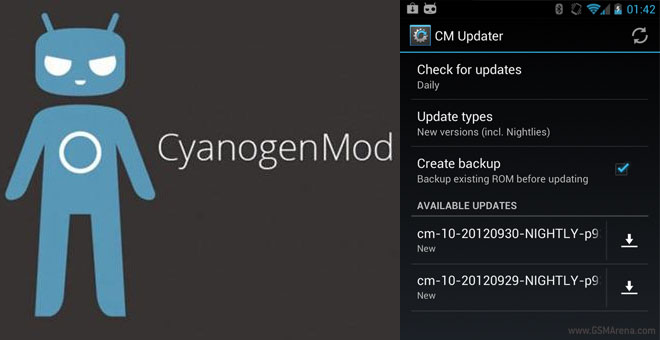
CyanogenMod 10 gets OTA support, installs the latest nightlies for you

Great news for Android enthusiasts and fans of CyanogenMod 10, as its developers have added a neat feature allowing you to install the latest nightlies over the air in the latest build of the ROM.


This means flashoholics won’t have to go through the usual procedure of flashing CM10, but rather have the CM Updater take over the hassle. The OTA update feature is called CM Updater and is available only for stock CyanogendMod 10 releases. Sorry, custom ROMs.

You can also specify whether you want the updater to create a backup of your ROM in case things go south. After all, these are nightlies and everything could happen, so you better be safe than sorry.

Sources:

  • http://www.phonearena.com/news/CyanogenMod-10-gets-OTA-nightly-builds-installed-automatically-with-new-CM-Updater-option_id35043 
  • https://plus.google.com/+CyanogenMod/posts/YV5v2GzrVSe

Acrobat XI performs some clever new tricks


If I had to summarize the changes with this version of Acrobat in two words, I think I'd go with "workflow enhancements." Every change in Acrobat XI seems to be targeted at moving PDF files through your hands faster, increasing their interoperability with other applications, and making them more easily accessible from any device.One of PDF's mixed blessings as a format has always been its uneditability.

While immutability means that the file always looks the same regardless of viewing platform or system configuration, it's always been frustrating that you couldn't make basic changes to a document without returning to the originating application.

 But now you can; you can edit and add text, perform search and replace, and individually replace images and graphics extremely easily. You're still relatively limited by the page layout -- text will reflow but if you extend pass the existing area it will overlap with other page objects -- and it will substitute fonts rather than rendering a close-looking facsimile (because, well, DRM). But as someone who routinely has to pull PDF files back into Illustrator for small tweaks based on other people's feedback, I'm chair dancing.

The Typewriter tool has been replaced by a full-fledged text engine, and it's faster. If you regularly grind your teeth waiting for the Typewriter tool to load, it's probably worth the upgrade cost. In fact, the program feels a lot faster than Acrobat X overall. There's also better interoperability with other office applications, most notably PowerPoint.

You can export a PDF formatted presentation to PowerPoint and it makes an attempt to convert text and objects to their PowerPoint counterparts. It will even create slide templates based on your background formatting. With the beta I tested the results were mixed, but usable overall.


Adobe bills this Acrobat update as "Acrobat XI with new Cloud Services," which for the most part means increased integration with last- year's acquisition of EchoSign and year-old FormsCentral, plus the ability to access and check in/out documents from SharePoint/Office365 and Acrobat.com resources.

It uses EchoSign for managing signature flows and providing audit trails. FormsCentral desktop comes with the Pro version and in addition to form creation and data gathering now allows you to view response data and generate a summary report, as well as export data to Excel. It's also a lot easier to get started using an existing PDF form, which it can now import and it's pretty easy to create the linkages between the form and the online data capture.

 For organizations that use thin client platforms for remote operation, such as Citrix, it now supports running the full version of the program off the server, and if you're running it that way on a mobile device it will automatically translate the interface to support touch gestures and space out the icons for fat-finger relief.


Security options have been surfaced, with more streamlined operation. For instance, now it's faster to simply password protect a file against editing (Restrict Editing) and the ease of redacting information should thrill those responsible for information purges. With one click you can strip out tons of metadata and linked content as well as flatten and purge the file of cruft. 

I would like the ability to select which data gets purged in the Sanitize Document process, though; for instance, I could imagine that for print production I'd like to keep the metadata and hidden layers, but drop the rest. Sanitize Document is intended for security -- a similar operation for Preflight, which is still really complicated, might be nice. 

 Adobe Reader gains the ability to access documents from the aforementioned cloud, commenter markup and simple signature handling (via EchoSign) and the mobile version is now optimized for touch operation. (A beta of the latter was not available to test.) Acrobat Pro costs $449 ($199 upgrade), while Standard will cost $299 ($139 upgrade); of course, the latest version of Reader will be free to all. Adobe Creative Cloud subscribers will automatically receive Pro, but the subscriptions to EchoSign and FormsCentral require subscriptions on top of that -- at about $15/month each -- for anything more than the most basic capabilities.

Source: 
http://reviews.cnet.com/software/adobe-acrobat-xi-pro/4505-3513_7-35475026.html

Techs Factor: Cowell to seek next Zuckerberg

It's what you've been missing in life. An "X Factor" show to find the next great tech leader. It should make for riveting television.


For Simon Cowell, there is no such thing as enough.

This would put him within a comforting cohort that includes William the Conqueror, Madonna and, of course, Mark Zuckerberg. How fitting, then, that the latest spawn of Cowell's brain is reportedly a reality show that will discover the next great tech entrepreneur.

On all things Cowell, the Sun tends to have an inside presence, so I am grateful to it for revealing this marvelous development. His partner in this very serious caper is Will.i.am, who is a remarkably good clothing designer. The Sun quoted i.am as saying: "We're working on a project called X Factor for Tech -- and it's going to be out of this world." There can be little question about the out-of-this-worldness of this idea.

"The X Factor" was supposed to be Cowell's great breakaway from "American Idol." He promised a minimum of 20 million viewers. This, sadly, didn't happen. Should you have been detained for years by the TSA for owning a suspicious toothbrush, you might be unaware of "The X Factor''s conceit. It is essentially very much like "Idol," but with some rather touchingly concocted drama built in.


This week, for example, there was Trevor Moran (once known as Trevor Michael), whom some might know as the boy who makes dance videos in Apple stores.

Moran collapsed while waiting for his "The X Factor" performance. Would he make it? Or would he end up in hospital? Gosh, he made it. (I have embedded the evidence.) This week also enjoyed the sights of Gene Simmons' daughter trying to make it big, as well as a 540-pound man who is so big that he had to perform sitting down. It has the added attraction of charming judges, such as Demi Lovato and Britney Spears, who far too often pulls a face as if she's just swallowed a lemon-encrusted bee.


I will leave you to imagine who Cowell would pick to be the judges of this Techs Factor, though I wonder if MC Hammer and Ashton Kutcher might be available.

In general, I am rather in favor of reality television. I can't wait for Bravo TV's tech reality show -- produced in part by Randi Zuckerberg -- which will, presumably be a sort of "Top Chef" kind of thing, without the good food or the talent. i.am believes that his and Cowell's show will contribute to the American economy. He told the Sun: "Singing and performance create a couple of jobs. But this will create lots."

This must be true, but one wonders just what the contestants will be asked to do. Might they have to try and persuade VCs to hand over money by explaining that some fine new idea will, um, "go viral"? Might they have to perform an all-night hackathon to see who can create the best new dating site for puppies? Or will they merely be instructed to go game hunting and then eat the animals they shoot? Cowell has had his hits and his misses.

Will this show unearth the next great Kelly Clarkson of tech? Or will it merely produce a Melanie Amaro? Or even a Taylor Hicks? 

Article by: Chris Matyszczyk of CNET.com

Thursday, September 27, 2012

Adobe Introduces Edge Tools For HTML5 Development


Adobe and its products have been instrumental in constructing how we view the Web. Flash was, and still is, a major innovator in the Web-based video and gaming arena. The company, however, saw that HTML5 will one day be the future. 

That’s why Adobe has begun investing heavily in it through various software like Adobe Shadow. This morning, the company announced its new plan to take Web development and HTML5 even further. At its Create the Web event in San Francisco, Adobe CTO Kevin Lynch revealed the company’s bid to help build the future of the Web – Edge Tools and Services. The new tools take all of Adobe’s previous efforts in HTML5 development, and combines them with brand new tools that will help creative and technical minds alike create Web sites. 


  • Edge Tools and Services includes the following software: Edge Animate – A motion and interaction design tool that allows users to bring animated content to the web using HTML, JavaScript and CSS.
  • Edge Inspect – An inspection and preview tool that allows front-end web developers and designers to efficiently preview and debug HTML content on mobile devices. 
  • Edge Code – A code editor, built on the Brackets open source project, optimized for web designers and developers working with HTML, CSS and JavaScript. 
  • Edge Reflow – A responsive web design tool to help users create layouts and visual designs with CSS, the standard for styling HTML content. 
  • Edge Web Fonts – A free web font service for using a growing library of open source fonts on websites and in apps. 
  • Typekit – A service that gives designers and developers access to a library of hosted, high-quality fonts to use on their websites. 
  • PhoneGap Build – A service for packaging mobile apps built with HTML, CSS and JavaScript for popular mobile platforms. 

Edge Reflow was only shown in preview form today and will be available for general preview later this year. The rest of the software, including Edge Animate, Inspect, PhoneGap Build and WebFonts will be available today. Edge Code will also be available, but it’s still in preview. 

 “We are excited to put a powerful new set of HTML5 tools into the hands of web designers and developers and can’t wait to experience the beautiful websites, digital content and mobile apps they’ll create,” said Danny Winokur, vice president and general manager, interactive development at Adobe. “We are passionate about enabling creative people to do anything they can imagine with web technologies, which is why we’re contributing to the web platform and making the Edge Tools & Services available for free, including the first release of Edge Animate.

” Adobe hopes that these new tools will help developers and creators alike innovate the Web, including four key areas: layout, foundational graphics, cinematic visual effects, and typography. These four areas are central to the evolution of the Web by making it more expressive. To help get people started, Adobe will be giving away Edge Animate in Creative Cloud for free starting today. 

After the introductory period, it will go back up to its normal $499 perpetual license price. Those who don’t have that kind of money laying around can opt for the much cheaper $14.99 per month licensing fee. Those looking for the best bang for their buck, Adobe will be offering all of its new Edge Tools alongside CS6 in its Creative Cloud membership. 

It’s $49.99 a month under an annual contract. It’s not quite there yet, but the future of the Internet is going to the Web. HTML5 is heralded as what’s leading the charge to this brave new future. Adobe wants a part of that, and the company’s new Edge tools helps get a foot in the door near the beginning. Now it’s up to designers and developers to create the future.

By: Zach Walton

Wednesday, September 26, 2012

JEDEC announces final DDR4 RAM specification


A couple of companies have been jumping the gun on DDR4 production, but the JEDEC Solid State Technology Association is finally bringing order to the industry by releasing its official standard for the next-gen DRAM. It calls for "higher performance, with improved reliability and reduced power" -- which we roughly take to mean: less gigs for better rigs. 

The DDR4 per-pin data rate standard is 1.6 gigatransfers per second (GT/s) at the minimum and 3.2 GT/s at the top-end, although this cap is expected to increase in future updates (given that DDR3 also surpassed its initial target). Speeds will begin at 2133MHz, a significant jump from your average DDR3 stick, and will also operate at lower power thanks to the Pseudo Open Drain Interface. 

Check out the PR below if you want to delve deeper into the specs, and if even that's not enough to sate you, head to the source link below to tackle the full documentation. Godspeed!

Source: 
http://www.jedec.org/standards-documents/results/jesd79-4%20ddr4

Microsoft confirms Office 2013 and 365 pricing

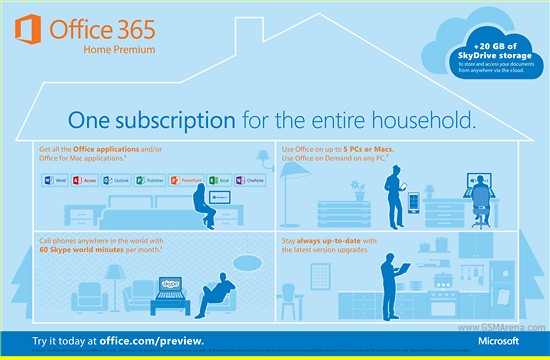
Microsoft has confirmed the costs of its Office 2013 suite as well as the Office 365 Home Premium and Small Business Premium services.


The subscription-based Office 365 Home Premium will give 5 people access to the full Office 365 features ( Word, Excel, PowerPoint, OneNote, Outlook, Access, and Publisher) via their individual accounts. For the privilege they will have to fork out $99.99 a year. 

 Office 365 Small Business Premium gives organizations of 1 to 10 people the same access with each employee getting to use 5 PCs. The service will set businesses back $149.99 annually, which makes $12.50/month. Both Office 365 subscriptions will be available in physical and online stores and resellers. 

Office 365 Home Premium will be offered across 227 markets, while Small Business Premium will be available throughout 86 markets. If you prefer to purchase the regular Office 2013, you should know that its prices are starting at $139.99. 

If you plan on getting a Windows RT tablet however, you better not rush with the purchase as Office Home & Student 2013 RT will come preinstalled on all Windows RT devices with full-featured editions of Word, Excel, etc.

Source: 

Sunday, September 23, 2012

Local search Field Test: Apple Maps vs. Google Maps

In part two of our Apple Maps app testing, we decided to perform local searches of landmarks and other locations, and the results were clearly lopsided.


Yesterday we performed a Field Test of the turn-by-turn directions on both the iOS 6 Apple Maps app on the iPad and Google Maps on a Samsung Galaxy Tab.

Both fared pretty well with getting us to our destinations, but Google Maps came out on top. As we pointed out yesterday, a number of people have been complaining about the Apple Maps app, from inaccuracies to poor directions. Today, in part two of our testing, we did a number of searches for landmarks and other destinations to see how each app performed.

After only a couple of tests, it was clear Google Maps was easily the superior app with much more information than Apple's replacement Maps app. To test out the apps, we focused on four different aspects of local search results: info windows, generic search terms, accuracy of landmarks, and level of map detail.

What becomes clear very quickly is that Apple has a long way to go to match Google's offering, and in some cases, the difference is downright shocking.


Info Windows
One of the first things we tested was the usefulness of each app's pop-up info window, which gives an assortment of information about a particular business or landmark. Apple's info window is powered by Yelp, while Google's aggregates its data from several different sources, including Google Places and the Google-owned review database Zagat.

Using an iPad running Apple's Maps app, we pulled up the listing for the Anchor and Hope restaurant here in San Francisco, and as expected we got all of the restaurant's vitals, reviews, and user-uploaded photos, all courtesy of Yelp's database. Other convenient Yelp features were available as well, like Check-ins, Quick tips, and the ability to add photos. And of course, from the info window, we could easily jump to more information on Yelp itself, provided we had the Yelp app installed.

Apple Map


Meanwhile, Google's info window displayed much of that same vital info and a whole lot more. Since Google aggregates data from multiple sources, it had a distinct advantage here. It even linked out to reviews on Google, Yahoo, Urbanspoon, and Allmenus. Plus, we were able to easily jump to Street View and even an indoor panoramic view of the restaurant. Granted, the panoramic view isn't available for all listings, but the reality is that no such feature is available at all on Apple's Maps app.

Google Map


Generic search terms
One common use for a maps app is to search for generic items like "pizza" or "coffee." It's easy to imagine craving one of these items but not knowing where to get it, so we tried to play out a typical scenario. When we searched for "coffee" on the iPad, the red pins dropped, plotting out a number of local coffee shops, just as we had expected. However, we were surprised to notice that a number of shops that we knew of were called out on the map with tiny coffee cup icons, but they weren't included among the red-pinned search results. In fact, the red-pinned search results accounted for only a small fraction of the coffee shops in the area.

Apple Map


On the other hand, searching for "coffee" on Google Maps yielded at least twice as many results, all of which were clearly marked by red dots. Also, those results with Zagat ratings were marked by larger red pins. Clearly, the user experience here is superior.

Google Map


Accuracy of landmarks
Next, we tested the accuracy of each app as we searched for landmarks around the city. Apple was up first, and we tried to give it an easy one -- San Francisco's most visited block, Union Square. While neither of us expected Apple's Maps to slip up on such an easy landmark, the Yelp-powered Apple Maps failed, as it returned the address of a locksmith (that probably described itself as close to Union Square) located more than a couple of blocks away from our target. Needless to say, this was not the address we were looking for. When we searched for Union Square with Google Maps, the results were remarkably different, as the app dropped a pin right in the center of the famed landmark. If we were tourists, this would've been exactly what we were looking for. Hitting the Navigation key at this point would even lead us to the front entrance of the Union Square parking lot.

Apple Map

Google Map


As another test, we tried throwing the apps a curve ball by searching for a less specific search term: "crooked street sf" Again Apple failed miserably, as it displayed no results, while Google hit it out of the park by showing the exact part of Lombard Street that we were looking for.

Apple Map

Google Map


Level of map detail
Throughout these tests, what became clear was that Apple's Maps app was consistently lacking in the details department. While Apple certainly showed an admirable number of clickable restaurant and shop icons on its maps, we liked that Google plotted out the actual names of businesses. This saved us from having to click around on each icon to see exactly what we were looking at. San Francisco's BART stations were also clearly discernible from bus stations in Google Maps, while Apple simply lumped them them all together under its generic public transit icons.

Interestingly, we even found a BART station missing (Civic Center) from Apple's map. Further, when we enabled Apple's Hybrid view, which includes an overlay of satellite images, almost all of these details disappeared. Google Maps, however, maintains its high level of detail, with or without satellite images enabled. When we looked up the University of California, San Diego, on both apps, the difference in their levels of detail was immediately apparent, at every zoom level. Apple gave almost no campus information, save for a few major street names, while Google plotted out buildings, dorms, parking lots, fields, and just about everything else on the college campus. So, you can imagine which Maps app would be more helpful to a visiting student or parent.

Apple Map

Google Map


Finally, we took a look at the San Francisco International airport on both apps, and the results were startling. Apple showed nothing but the relative terminal locations, while Google stunned us with plotted out ticket counters, restaurants, shops, Internet access stations, exits, and countless other useful details. We were even able to explore all of the airport's five floors, thanks to Google's Indoor Maps feature. Granted, Google doesn't have this level of indoor data for every building, but it does have coverage of many major airports, shopping centers, hotels, museums, and more. And its list continues to grow.

Apple Map

Google Map


Conclusion 
As you can see, this was really no contest. For local searches of landmarks, level of detail, and even the interface for info windows, Google Maps wins out in every category. It's no secret that Apple is new to the maps game, but the startling lack of detail and inaccurate location information really shows they weren't ready for prime time. You can bet that over the next couple of weeks Apple will be working furiously to correct the mistakes and add more details, and, as a crowd sourced maps app, the users will be adding their share of information too. In the end, the Apple Maps app will probably improve over the coming months, but it's clear that Apple has a long way to go to compete on the level of the tried and true Google Maps.

Article By: Jason Parker and Jaymar Cabebe of Cnet.com

Wednesday, September 19, 2012

First iPhone 5 reviews are in - good grades all around

It's still a couple of days early before the iPhone 5 arrives at the doorsteps of those over 2 million people that have pre-ordered it. But we're already seeing the first wave of reviews by the lucky few that have gotten their hands on Apple's latest smartphone and have given it a test run over the past couple of days. 


Those include Engadget, CNET, John Gruber of The Daring Fireball, long-time Apple-centric columnist from TechCrunch MG Siegler and others. The prevailing opinion of most of these reviewers is that the iPhone 5 is a notable upgrade from the 4S. The screen received much praise and several reviewers mention the in-cell touch tech that Apple has employed in as a great improvement, bringing the pixels closer to the surface. 

Many hail the "new" Panorama feature as intuitive and very well functioning. Observations on the new custom-designed Apple A6 chip are very positive too. There aren't all that many synthetic benchmarks yet but several reviewers have done a side-by-side comparison with the iPhone 4S and the "2x-as-fast" performance claim is seemingly true. 

The only part of the iPhone 5 that has received more critiques than praise is the iOS 6, which has been called slightly dated on multiple occasions. Although impressed, we won't take any of this at face value until we've seen it for ourselves. We're more than eager to put the iPhone 5 through our usual reviewing procedures and we'll be doing so as soon as possible, so stay tuned!

Content are from GSMarena.com

Apple iOS 6 starts seeding to iDevices around the globe

Apple has just started seeding its latest iOS 6 to iDevices around the globe. If you own a 4S, 4, 3GS or iPad 2, new iPad and iPod Touch you can expect to get the update in the following hours.


This is the first iOS release that's available over the air so you can check the Software update menu on your eligible device. You can also check for the update from your computer, but you'll need the latest iTunes (v10.7) installed. 

The update might take a while depending on where you are. If you know your Apple stuff you should know that the main features in iOS 6 are the brand new Maps app with free voice-guided navigation, which replaces Google Maps, Facebook integration and a more functional Siri. Here's our iOS 6 preview if you want to check out what else has changed.

Sunday, September 16, 2012

Samsung attacks iPhone 5 in new ad

Oh, you knew this was going to happen. Samsung is not taking the release of the iPhone 5 lying down. A new ad declares Apple's phone isn't genius.

I don't think they've kissed and made up yet. I don't even think they're talking. When one party embarrasses another so badly -- and in public -- you don't expect the hurt one to just take it, do you? And so Samsung is greeting the arrival of the iPhone 5 with an ad that will run tomorrow in certain national and local newspapers (how modern). 


It is not a flattering ad. It suggests that the iPhone 5 isn't even good enough to be, well, a copy of the Galaxy S3. Clearly, it's been hastily put together, but its headline -- "It doesn't take a genius" -- rather prepares you for what follows. Yes, it's a list of all the fine, rational reasons why the Galaxy S3 is vintage port compared to the iPhone 5's wine-in-a-box.

Oh, the Galaxy S3 is full of things the iPhone doesn't have: Palm Swipe Capture, Shake to Update, oh, and NFC -- to name but three. And though there's no doubt that the S3 is a fine phone -- especially for those with hands handed down by gorillas -- there is one small element that Samsung might be overlooking. People don't buy the iPhone for all the features. They buy it for all those quirky, irrational, emotional, maddening reasons that make people's eyes glaze over and their minds work like a blancmange clock. Samsung's biggest problem isn't that its phone doesn't have some fine rational attributes. It's that the brand hasn't captured hearts. There are no lists nor self-help books that can tell you how to do that. That does, sometimes, take a little genius.


Article by: Chris Matyszczyk

Oppo's Find 5 flagship will pack 1080p screen with 441ppi

It looks like the Chinese smartphone manufacturer Oppo Mobile has something amazing in the making. The company’s CEO Chen Mingyong teased the Oppo Find 5 quad-core flagship with 1080p display, sporting the mind-blowing pixel density of 441ppi.


Such pixel density puts the upcoming 5" device in an entirely different league from the current crop of top shelf smartphones. A 441ppi pixel density is roughly100ppi better than the next best smartphone and a cool 115ppi better than the Apple iPhone 5. 

The rest of the Oppo Find 5 rumored specs include a quad-core Qualcomm Snapdragon S4 Pro chipset, 2GB of RAM, 12MP camera, Android 4.1 Jelly Bean, and a 2500mAh battery. The Oppo Find 5 appears a lot like that rumored 5 incher from HTC. As always, we'll keep track on both.

Source:
http://www.gsmarena.com/oppos_find_5_flagship_will_pack_1080_screen_with_441ppi_-news-4808.php

Friday, September 14, 2012

Quad-core shootout: Four of a kind

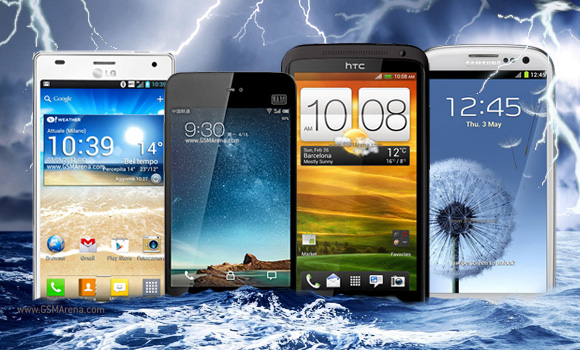
Buckle up people, because this is going to get rough. When the world's four most powerful smartphones are about to go ballistic, it is the right time to take this website's name literally. The stage is set for the four titans of the Android world: the Samsung Galaxy S III, the HTC One X, the Meizu MX 4-core and the LG Optimus 4X HD.


The four horsemen of the apocalypse to anyone unfortunate enough to be their competition.We've seen and tested them all, and even had two of them in a thrilling head to head. This time around though, we have the full set. For an even more exciting twist, there's a cocky upstart against the Android establishment. And they're all after the ultimate prize. With great power comes great responsibility and these phones not only represent themselves and their manufacturers. 

It's a battle of the chipsets too. Inside the Samsung Galaxy S III and Meizu MX Quad Core beats the same Exynos 4212 Quad chipset, while the HTC One X and the LG Optimus 4X HD are powered by the Nvidia Tegra 3 with not four, but five cores (an extra underclocked, power-saving core). So, in the end this not only an individual challenge but in a way a team competition as well. And there is room for only one winner. Here's what we'll be throwing at the quad-core contenders in this epic shootout. We'll begin with a general overview of the user interface of each of the smartphones to get a sense of their personality. 

And that's just a mild warm-up before a series of benchmarks and stress tests. This isn't just about what the two different chipset architectures are capable of, but also whether these droids make the most of them. We'll be testing processors, graphics and web browsers, in search of the ultimate Android phone of the season. Stills and Full-HD video are also on the list. With an all-in mentality, these smartphones are great cameraphones too. So, we'll be looking at how they perform and, ultimately, which one gets on top. 

Anything else? Sure. Some display and battery scores will be thrown in the mix to see how those handle everyday smartphone tasks. Processing power is important, but don't tell the whole story. So, there we are. Four great phones and only one goal - outrun and outsmart. Money is no object here. We are dealt with a four-of-a-kind and we're going to play it. Let the tests begin.

Source Article:
http://www.gsmarena.com/quad_core_shootout-review-790.php

iPhone 5 cannot do simultaneous voice and LTE data on CDMA

It has been discovered that the iPhone 5 won't be able to do simultaneous voice and LTE data on CDMA networks.


This has been independently confirmed by both Verizon as well as Sprint in the US. Now it's not that you cannot do voice and LTE data together on CDMA; there are phones out there that can do this. But if you remember, Apple chose to go with a single chip and singe radio for voice and data. 

They also opted out of using an additional antenna (a third one in addition to the existing two) around the sides. All of this was done to reduce the size of the device and it seems to have worked well. 

But now the disadvantage of that is that you cannot make voice calls and use LTE data simultaneously on the CDMA networks. Hard to call it a deal breaker but it would have been nice to have this functionality anyway. The GSM model does not have this issue, however, and works just as you would expect it to. For a more detailed analysis on this, click here for AnandTech's full report.

Source: 
http://www.theverge.com/2012/9/13/3328492/iphone-5-simultaneous-voice-data-verizon-sprint

Wednesday, September 12, 2012

The Windows Mobile Experiment Begins


Analysts who watch the smartphone market will not have to wait for the legal battle between Apple Inc. (NASDAQ: AAPL) and Samsung to advance any further before judging the future of the Microsoft Corp. (NASDAQ: MSFT) Windows Mobile OS. Samsung will launch a smartphone based on the system. If it does not sell well, the potential benefit Microsoft might get from the Apple court victory will quickly dissipate. 

If anything is true about the smartphone market, it is that handsets that do well have robust sales right out of the gate. 


The Samsung ATIV family of products, which has just been introduced, includes a 10.1-inch tablet that operates on Windows RT. The new Samsung 4.8-inch phone runs Windows Mobile 8. Samsung has not set a price for the products, but since all smartphone companies peg retail prices to Apple's iPhones, it is likely the Samsung offerings will have prices set lower than the new iPhone 5 and the new iPad. 

The media already has been flooded by comments that the Samsung phones powered by Microsoft may allow the South Korean company to take some of the sting out of Apple's legal victory. It has been pointed out also that Microsoft's main smartphone partner, Nokia Corp. (NYSE: NOK), will not release most of its Windows-based products until after the Samsung products are in the market. Nokia's worldwide push for its Windows phones is months away. Those things will not matter if consumers do not take to the new Samsung products immediately. Samsung is the world's largest handset company, which gives it a great deal of marketing leverage with carriers. It should be able to get the Windows-based products to be among the smartphones with substantial carrier backing as they sell new subscriptions. 

But no amount of market leverage will work if people do not warm to an OS that is not Google Inc.'s (NASDAQ: GOOG) Android, which is wildly successful, or to the Apple iOS. Microsoft faces a barrier that is beyond adoption of its OS. Apple's iPhone 5 will have sales well into the tens of millions worldwide. That will make it difficult for any challenger to gain market share for a while. Early sales of new smartphones are among the best barometers of later success. For Microsoft's sake, the new Samsung products will have to fly off the shelves. 

Douglas A. McIntyre

Apple iPhone 5 goes official with an A6 chipset and 4-inch screen

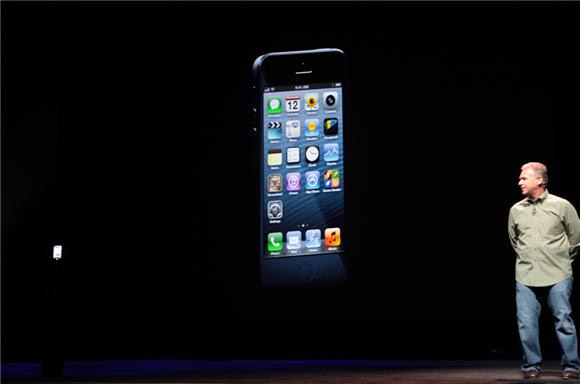
The iPhone 5 is now official. Apple has just unveiled its most latest iPhone to date. 


 As it turned out all the previous leaks of images and specs were on the spot. The Apple iPhone 5 features a 4-inch Retina display with a resolution of 1136x640 pixels (that's 326ppi), 100Mb LTE connectivity, dual-band Wi-Fi. The new iPhone is thinner - 7.6mm and lighter - 112 grams than its 4S counterpart. The iPhone 5 runs on the Apple's latest A6 chipset, which is said to offer 2x faster processor and graphics performance. 

There is still no word on the number of cores and clock speeds though. The camera features the same 8megapixel sensor as the on on the iPhone 4S, but the sensor is 25% smaller this time. There is a newly announced panorama mode, which obviously stitches together full res photos as the sample showcased had 28megapixel resolution. 

The Apple iPhone 5 also comes with an upgraded front-facing camera, which now supports 720p video recording. The new specs sheet features three microphones, noise-cancelling earpiece, smaller speaker and brand-new Lightning connector. The latter is 80% smaller, has 8 pins and is reversible. An adapter for the old 30-pin cables has been announced as well. The iPhone 5 is running on iOS 6. Apple hasn't announced any new and unseen iOS feature yet, so we assume you've probably know everything by now. Anyway, you are welcome to check out our iOS 6 extended preview here. The pre-orders for the iPhone 5 starts on September 14. 

The couriers will be knocking on your doors as early as September 21 if you live in USA, Canada, UK, France, Germany, Australia, Japan, Singapore or Hong Kong. More countries will join these on September 28. Until the end of the year the iPhone 5 markets number will grow up to 100. With the iPhone 5 joining the gang, the iPhone 3GS is officially gone. The 4 and 4S models will be still available and on a lower price. Finally, the iOS 6 free update will hit the fourth generation iPhone on September 19.

Article By: GSMArena.com

Thursday, September 6, 2012

Apple to hold its iPhone 5 launch event on September 12

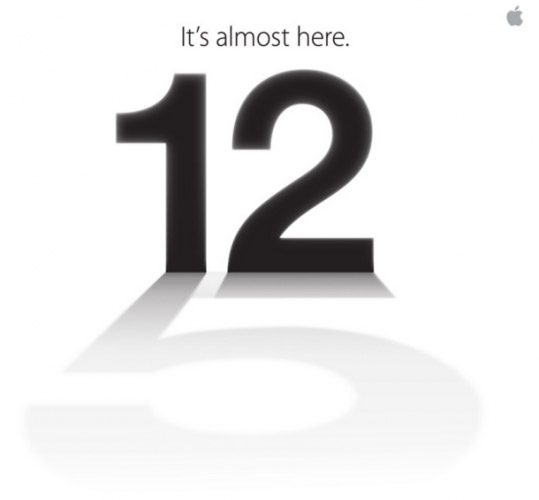
The wait is over! Apple officially announced its September 12 event dedicated to launching the new iPhone 5. As usual, the guys over at Cupertino have designed the event press invite to hint about the product to be expected.


Notice the shadow of the number 12? Yes, that's a five, which leaves no doubt about which product will be announced. What's unknown, however, is whether the announcement of the iPhone 5 will be accompanied by the anticipated unveil of the iPad mini. 

 The event will take place at the Yerba Buena Center for the Arts in San Fransisco starting at 10:00am PST. The iPhone 5 has been rumored for quite some time now, and its expected to feature a larger 4-inch display, NFC and LTE connectivity. We'll see which of these will turn out to be true in a little more than a week's time, so be sure to check back with us then for coverage as the event unfolds.

Reference: 
http://www.slashgear.com/apple-september-12-iphone-5-event-confirmed-well-be-liveblogging-04245901/

Monday, September 3, 2012

Home networking explained, Part 2: Optimizing your Wi-Fi network

Since my last post on the basics of home networking, which is Part 1 of this series, I've been flooded with even more e-mails than I had been before (which explains why some of you haven't heard back from me). The good news is that nobody is asking about what a router is anymore. I guess I did an OK job explaining that in my previous post. 

Most of the e-mails this time asked about how to have the best Wi-Fi coverage at home and avoid "dead zones." A reader even asked me how to make his Wi-Fi network better than his neighbor's because the other network's Wi-Fi signal and Internet speed were "so much faster than mine." Well, I am not a fan of rat races, and you're not supposed to tap into your neighbor's Wi-Fi network unless you both explicitly share an Internet connection, in which case you shouldn't be complaining that the network is so good. 

Also it's not exactly a good thing that your Wi-Fi's range goes so far away from your home, either; that only increases the unnecessary interference for your neighborhood (and your network's chance of getting tapped into). In short, you should just focus on yours. 

And along those lines, there are a few ways to make sure you get the best out of your Wi-Fi network. With some, you just need to do a little bit of tweaking; with others, depending on your home, you might need to get extra equipment. 

Let's start with the ways that probably won't cost you anything, other than a little bit of time. 

1. Placement Location: 
A wireless router (from here on in this post, it will be addressed as "router" for short) broadcasts Wi-Fi signals away from it in all directions. Think of the signal coverage as a globe with the router being right in the center. Outside of this globe, clients won't get a signal. This globe, however, is not exactly spherical; one of the reasons is because the signals are generally turned to go out more horizontally than vertically, and like all radio signals, they tend to spread laterally and downward the farther they are from the broadcaster. That said, the best place to place your wireless router or access point is in the center of your home and elevated. 

To take advantage of this, use the telephone jack (or coax cable outlet) at or near the center of the house, preferably on the upper floor when applicable, to connect to your modem and then your router. If need be, hire an electrician to create a new outlet in the right place. If it's not possible to move the phone jack or run coax cable to where you want, use a long network cable to connect the router to the modem, leaving the modem where the jack is and the router/access point at the center of the house. (In my experience, it's actually quite easy to run cables above the ceiling, or under the house). 

Surroundings: 
A wireless signal works best outdoors in an open environment. Since it's not possible to have that indoors, you can improve the signal a great deal by making sure the immediate surroundings of the router/modem are clear, especially in the directions you want the signals to reach. This means you don't want to leave the router in a closet, or put it between a big TV and a wall. The best place to leave the router is in midair, but since that's quite hard to do, the second best thing is to put it on the surface of a desk, or mount it on the wall when applicable. Generally, all physical objects, such as walls, glass doors, and so on, weaken Wi-Fi signals, some more than others. 

Though this might be common, stashing your router/access point in a close corner like this reduces its range a great deal. (Credit: Dong Ngo/CNET)

Antenna positioning: 
With a router that comes with external antennas, you can slightly tweak the above-mentioned globe of coverage. Generally you want the antennas to stay vertical if you want the signal to go wide (which is the most popular usage). If want the signal to go deep into the basement and up to the top floor, set the antennas to stay horizontal. Note that this only works relatively, and with some routers, you might not experience any difference at all whichever way you set its antennas. If the antennas are detachable, it's likely that you can replace them with high-gain antennas (most of the time this means bigger ones), which noticeably helps increase coverage. (You might also be able to increase the power of the antennas, hence the range, by attaching to it a piece of aluminum foil curled up into a parabolic shape.) For routers with an internal antenna design, there's nothing you can do. Modern routers, especially N750, N900, and 802.11ac routers, however, generally come with very powerful and smart antennas that essentially increase their power toward the direction of connected clients automatically, using a technology called beamforming. 

2. Equipment 
Now that you have placed your router properly and still don't find enough improvement, it's time to check the equipment. Get ready to spend some money. 

Router: 
Ideally you just want to have one wireless broadcaster at home and for most homes, a single router is good enough. That said, if you have a small house and the router (put in the middle) can't cover every corner, it's time to consider replacing it. I'd recommend at least an N600 router (check out this list) or if you're not on a budget, get one of the best routers on the market. 

Many wireless router can also work as an access point. In this case its WAN port is used like a LAN port.


Access point: 
A separate access point is an ideal solution for a large and sprawling home, one that you can't put the router in the center, or one with a deep basement, with an existing router. Basically, you want to put the second access point at the location where the signal of the existing router can't reach or gets really weak. A typical example of this setup is where you have the main router in the living room and the second access point in the basement. Now the trick is to connect the access point to the router. Ideally, you want to run a network cable from the router to the access point (you want to connect the access point's LAN port to one of the router's LAN ports). If this is too much of a job, you can resort to power-line networking. 

Power line: 
A power-line adapter basically turns your home's electrical wiring into network cables; this is more clearly explained in Part 1. In the case of the separate access point scenario above, you can use a pair of power-line adapters, such as the D-Link DHP-510AV. Connect one of the adapters to the router and the other to the access point, using network cables. After that, if you want to make your home network seamless, name the Wi-Fi network (or SSID) of the access point the same as that of the existing router. In this case, make sure you use the same security settings (encryption key, method, and so on). Or you can also keep them as two separate Wi-Fi networks for easy management. There are also power-line adapter kits with a built-in access point, called power-line range extenders, such as the Netgear XAVNB2001. 

In this case, you don't need to get the second access point/router. In addition to power line, you can also opt for a pair of MoCA adapters. MoCA stands for Multimedia over Coax Alliance, and similar to power line, turns coax cables (those used by cable TV) into network cables. MoCA adapters are great solutions for homes with multiple cable outlets in different rooms. I don't have a lot of experience with MoCA, however, since it's not possible to test those at my office. Range extender/repeater: These are wireless devices that can connect to an existing Wi-Fi network and then rebroadcast that same network's signal farther. Most of these devices support Wi-Fi Protected Setup and can connect to the existing router with the push of a button; after that, you can just put one at the edge of the existing network's Wi-Fi range and have that range increased. 

I am not a fan of this type of device because of a few reasons: First, it's hard to gauge their effectiveness; you need to put a range extender/repeater relatively close to the existing router for it to have a good connection with the main network, but at the same time far enough for it to really extend the range. It's very hard to find the sweet spot for it to be effective both in terms of range and connection quality. Second, the repeater basically duplicates the existing Wi-Fi network with one of its own, and as mentioned above, Wi-Fi signals are broadcast in all directions. 

This means devices in the area where the two networks overlap have to deal with interference and signal saturation. This is especially bad for the 2.4Ghz band. That said, a range extender/repeater is still the fastest way to relatively extend a Wi-Fi network's coverage.

You can easily find out a home network router's IP address by running the ipconfig command from any connected computer.


3. Settings 
One of the problems with Wi-Fi networks is the risk of losing your bandwidth to unauthorized users. This part helps you secure your network and optimize it for speed. Note that it's slightly more advanced and might seem intimidating to novice users. But you will be a novice no more if you go through with it. This part is only recommended for those interested in learning more about networking. Rule of thumb: Make sure you back up the router's configuration settings before making changes. This allows you to restore it to previous settings in case something goes wrong. 

With the exception of networking products from Apple, most, if not all, other routers and access points on the market comes with a Web interface. This means that from a connected computer, you can open up the router's management Web page by going to its IP address. Unless you have changed it, the default IP address is generally printed on the bottom of the router, or on its user guide, and tends to be in this format: 192.168.x.1. It's easy to find out your router's IP address; here are the common steps to get to any home network's router's Web interface: 

Step 1: From a connected computer (running Windows Vista or 7), click on Start button, type "cmd" in the search area, then press Enter. (If you use Windows XP, you can navigate the Start Menu and run the Command Prompt item.) 

Step 2: Now in the black command prompt window, type in "ipconfig," then press Enter. You will see lots of information displayed in the window. Find the string of number after Default Gateway, that's the router's IP address. 

Step 3: Type that IP address in the address bar of a browser, such as Firefox, and press Enter; now you are at the router's Web interface. You will have to log in with an account. The username is almost always admin; for the password, check the router's manual or ask the person who first set up the network for you.